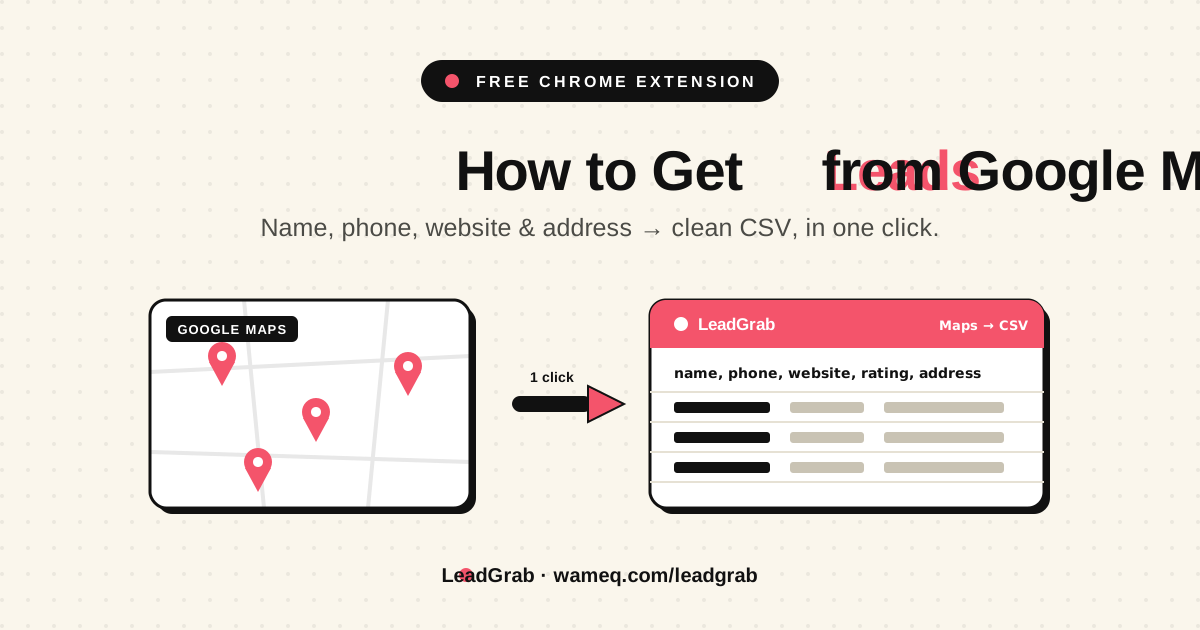
Turn Google Maps into a free, targeted local lead list — the manual method, legality, the 120-result cap, local CRM workflow, CSV export, and how to work the list.
Why Google Maps Is the Best Free Source of Local Leads
If you sell to local businesses — restaurants, clinics, contractors, law firms, gyms, real-estate agencies — Google Maps is the single best prospecting database on the internet, and it is free. There are more than 200 million business listings on it, and the crucial detail is who maintains them: the business owners themselves. They update their own phone numbers, websites, hours, and addresses because their customers depend on that information being right. No purchased list, no data broker, and no LinkedIn export comes close to that freshness, because every other source decays the moment it is compiled.
For a marketer or a sales team, that means you can build a list of every business of a given type, in a given city, with a current phone number and website, in an afternoon — without paying for data. The rest of this guide is how to do exactly that, honestly, and what to do with the list once you have it.
Is It Legal to Pull Leads from Google Maps?
Get this question answered before you start, because it is the one that stops most people — and the answer is more reassuring than the scare stories suggest, as long as you understand the distinction.
There are two separate things being asked here. The first is whether it breaks Google’s rules. The second is whether it breaks the law. They are not the same.
- Google’s Terms of Service: Google explicitly prohibits using “automated means” — bots, spiders, scrapers — to extract Maps content. Aggressive automated scraping is a breach of your agreement with Google.
- The law: US courts have repeatedly held that collecting publicly available data is generally legal. The hiQ v. LinkedIn and Meta v. Bright Data rulings both came down on the side of public-data collection. Violating a company’s terms is a contract issue, not a criminal one.
In practice, Google enforces its terms with technology, not lawyers: hit it too hard and too fast and you get an IP-block or a temporary rate-limit, long before anyone sends a letter. So the sensible, low-risk posture is simple — collect data that is already public, at roughly the speed a human would, and keep it on your own device instead of pushing it through someone else’s server. That is exactly the principle the tooling later in this guide is built around. If you want the official, fully-sanctioned route with no terms friction at all, Google’s own Places API exists for developers — it is legitimate, but it is metered and code-only, which is overkill for most prospecting.
Want this implemented for your funnel?
Get a free 90-day growth plan with tracking, channel priorities, and next-week actions.
The Manual Method: How to Build a List by Hand
Start here even if you intend to automate later, because doing it manually once teaches you what good targeting actually looks like — and it is genuinely free.
- Search a niche and a city. Open Google Maps and search the way a customer would: “dentists in Jumeirah”, “marketing agencies Dubai Marina”, “plumbers Deira”. Be specific — niche plus neighbourhood beats niche plus whole city.
- Open each listing. Click a business to expand its detail panel. That panel holds the prize: the phone number, the website link, the full address, the category, the rating, and the review count.
- Record the fields that matter. Into a spreadsheet, copy the business name, phone, website, address, rating, and review count. Rating and review count are not decoration — they are a qualification signal you will use in a moment.
- Scroll and repeat. Work down the results list. Maps loads more as you scroll, and you keep going until the list is exhausted.
Do this for ten minutes and two things become obvious. First, the data is genuinely good — real phone numbers, real websites, real businesses. Second, it is mind-numbing, and by the fortieth listing you will be making copy-paste errors. Hold onto that feeling; it is the whole reason the rest of this guide exists.
The ~120-Result Cap (and How to Work Around It Properly)
Here is the thing the “unlimited leads” crowd never mentions: Google Maps will only show you about 120 results for any single search. It does not matter if there are 4,000 restaurants in the city — the interface caps the list at roughly 120 pins to keep the map usable. Every tool, manual or automated, hits the same ceiling, because the ceiling is in Google’s interface, not in your method.
So “unlimited from one search” is a myth. The way you actually build a big, high-quality list is the opposite of one giant query — it is many small, precise ones:
- Split by sub-niche. “Restaurants” is too broad; “Italian restaurants”, “sushi restaurants”, and “cafés” are three clean searches that together exceed what the broad term would have returned.
- Split by neighbourhood. Run the same niche across each district or suburb rather than the whole metro at once. “Dentists Jumeirah”, “dentists Business Bay”, “dentists Deira”.
- Merge and de-duplicate. Combine the exports and remove duplicates on phone number or website. The phone number is the most reliable de-dupe key.
This is better, not just bigger. A list assembled from tight searches is naturally segmented — you already know each lead’s niche and area — which makes the outreach later dramatically more relevant.
Where the Manual Method Breaks
The manual method is free and it works, right up until it doesn’t. Two walls appear fast. The first is time: capturing a few hundred listings by hand across a dozen segmented searches is hours of soul-destroying copy-paste, and the error rate climbs the longer you do it. The second is the temptation to fix that with the wrong tool.
When people hit the time wall, they reach for a heavyweight paid scraper. That trade is worse than it looks. Those platforms charge per credit, they route your entire prospecting operation through their servers — so your target list lives on someone else’s infrastructure — and they hammer Google fast enough to carry real terms-of-service risk. You are paying money to take on exposure, to solve a problem that doesn’t actually require either.
The Clean Way: Capture Google Maps Leads in One Click
The sweet spot is a browser extension that does exactly what you were doing by hand — just without the hand. That is what we built LeadGrab to be, and the design choices map directly onto everything above.
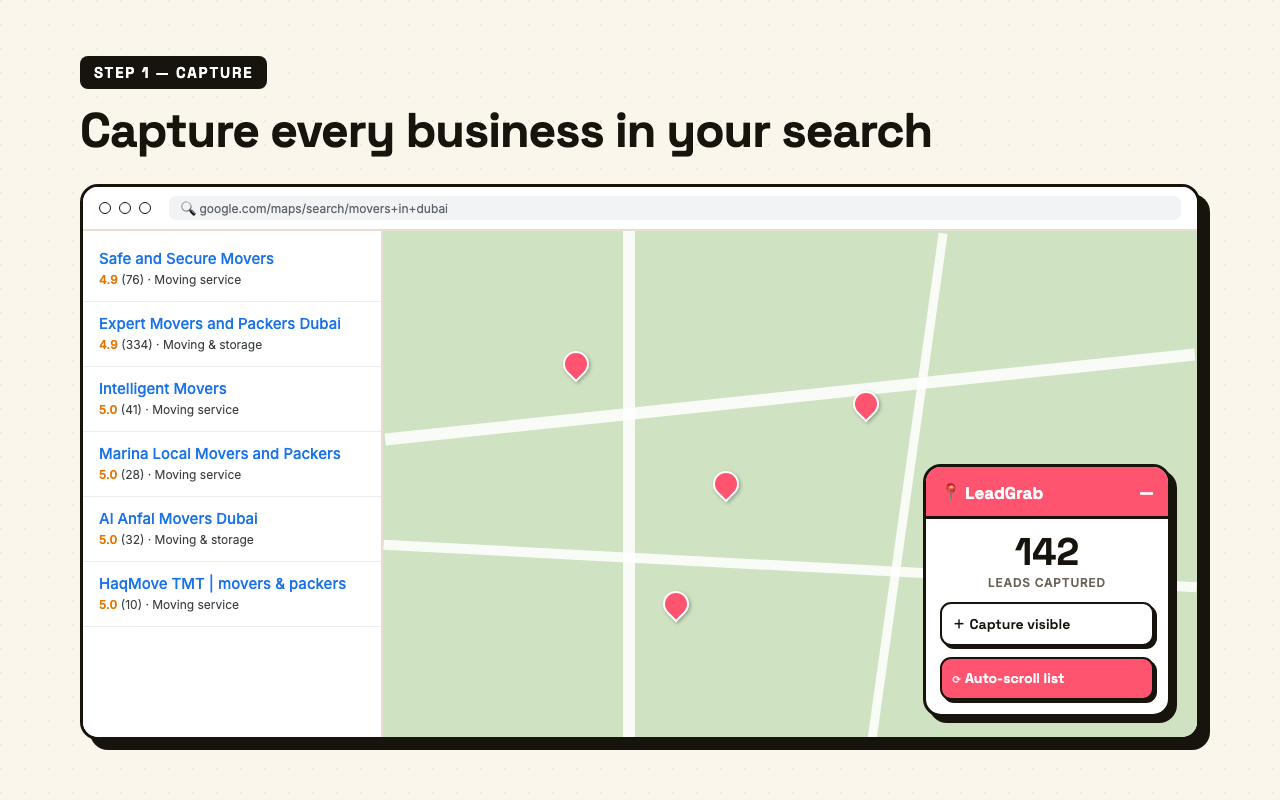
- One-click capture. Search a niche and city, then capture visible businesses into the current search session without copy-pasting a single field.
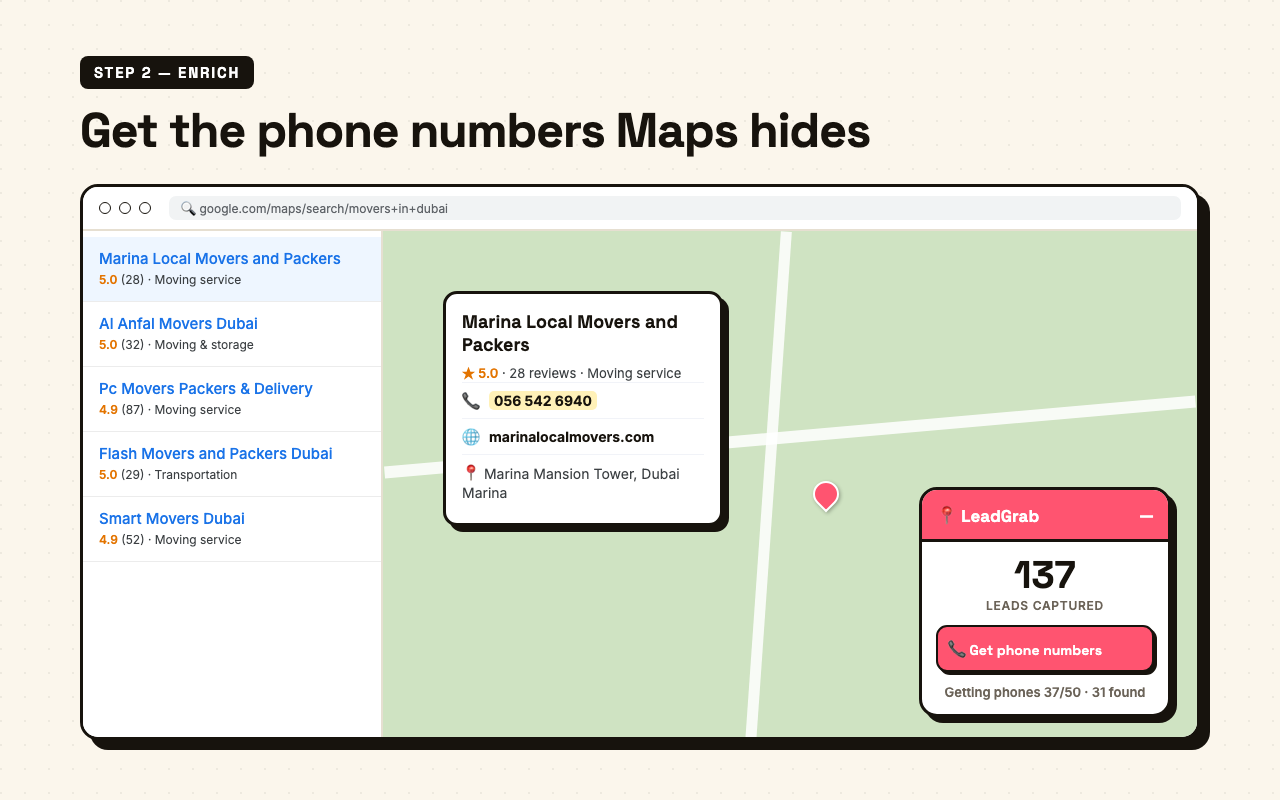
- Phone and website enrichment, the safe way. LeadGrab opens listings at human speed and fills missing phone numbers, websites, categories, and full addresses from the detail panel.
- Controlled batches. The phone workflow processes up to 50 listings per click, waits through a 30-second cooldown, then lets you continue when you are ready.
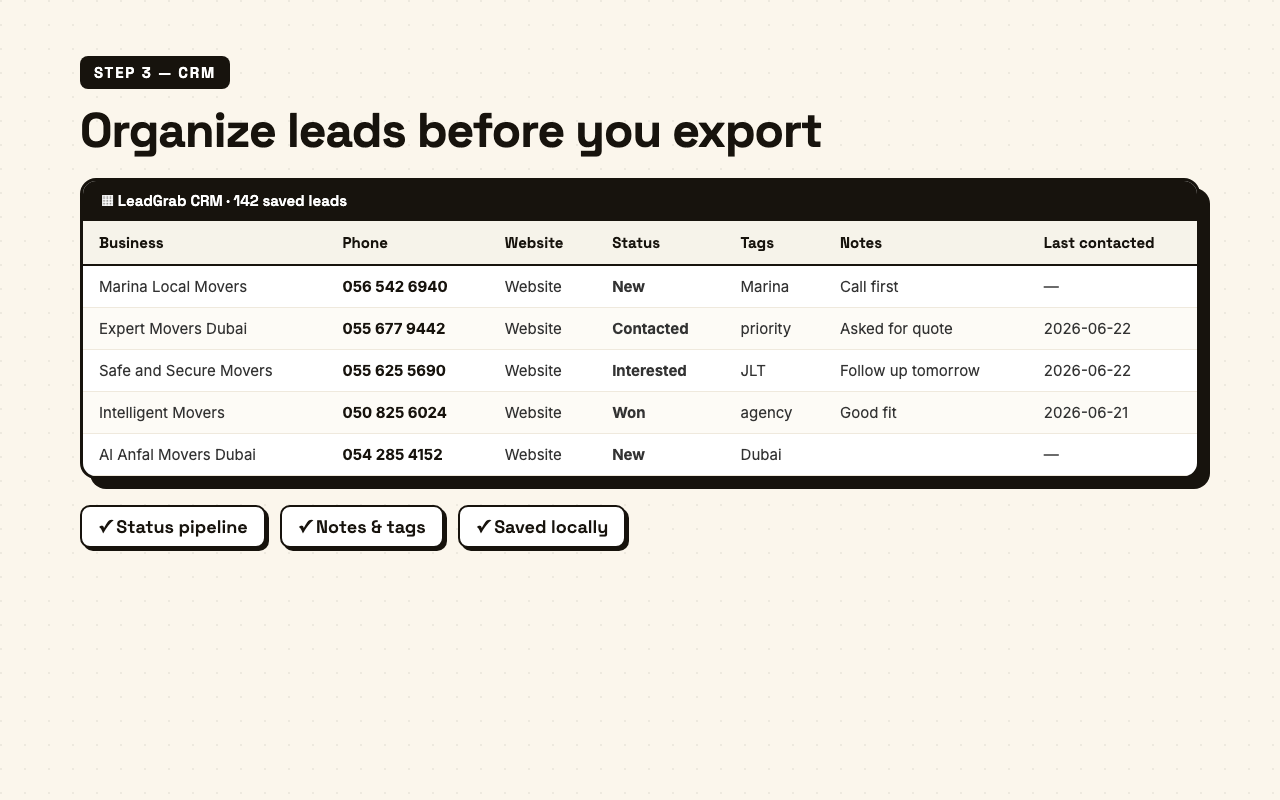
- Lightweight local CRM. Open CRM to keep saved leads, add status, tags, notes, and last-contacted dates, then export when the list is ready.
- It runs in your browser. No server, no account, no credits. Your captured leads and CRM notes stay on your device — which is the whole point of the legal posture from earlier in this guide.
It is free, it installs from the Chrome Web Store, and it turns the afternoon of copy-paste into a couple of minutes. See how LeadGrab works.
New in LeadGrab: A Simple Local CRM
The latest LeadGrab update adds the missing step between “I captured a list” and “I actually followed up.” Instead of treating every search as a throwaway export, LeadGrab now saves leads into a lightweight CRM inside Chrome storage.
That means you can run “shawarma near me”, save the businesses, start a new search for “burger restaurants near me”, and keep the older leads instead of wiping them. The current Maps panel stays focused on the active search, while the CRM keeps the full saved list.
- Status: mark leads as new, contacted, qualified, won, or lost.
- Tags: add priority, area, niche, campaign, or any quick label you use for outreach.
- Notes: store call notes, owner names, offer angles, or follow-up context.
- Last contacted: track when you last touched the business so the list stays workable.
How to Export Google Maps Leads to CSV
A quick word on the export itself, because it trips people up. Google does not give you a bulk export of search results — Google Takeout only hands back lists you personally saved, not the businesses from a category search. So your realistic options are three:
- Manual into a spreadsheet: free, fine for a handful of leads, agony at scale.
- A browser extension: captures the visible results and writes a structured CSV for you — no API keys, no data leaving your machine.
- The Google Places API: the official, sanctioned route, but it is metered, costs money beyond the free tier, and requires writing code.
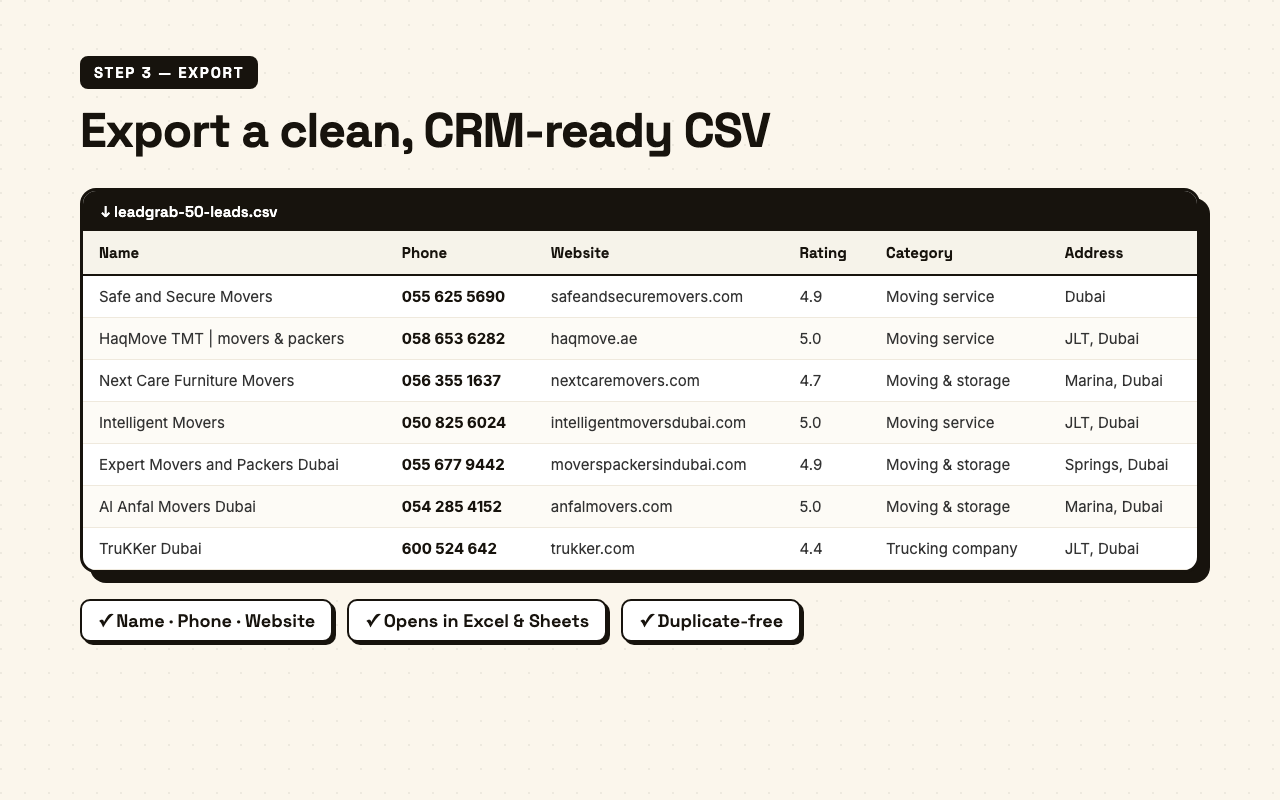
For most marketers and sales teams the extension route wins outright: you get a clean, columned CSV — name, phone, website, rating, reviews, address, Maps URL, status, tags, notes, and last-contacted date — that drops straight into a CRM or a dialer with no cleanup.
What to Do With the List: Turning Data Into Meetings
This is the step almost everyone skips, and it is the only one that makes money. A spreadsheet of 300 businesses is not revenue — it is potential energy. How you work it decides everything.
- Qualify before you contact. You captured rating and review count for a reason. A business with 4.2 stars and 18 reviews has different needs from one with 4.9 stars and 600 — sort and segment so your message fits.
- Go multi-channel. Single-channel outreach — email only, or calls only — caps the meeting rate around 1 percent. Layering email, phone, and LinkedIn on the same list pushes that to 3–5 percent. Maps gives you the phone number for free, so use it; a call to a local business often beats a cold email outright.
- Lead with their context. Because you searched by niche and neighbourhood, you already know each lead’s category and area. “I noticed you’re one of the higher-rated dentists in Jumeirah but your site isn’t ranking for it” beats any generic template.
- Track what converts. Tag the source, the segment, and the channel so you learn which niche-plus-city combinations actually book meetings — then go capture more of those.
If outreach is where your funnel stalls rather than where it starts, the fix is usually the offer and the landing experience, not the list — our analytics and CRO work is built around exactly that conversion gap.
Your First Google Maps Lead List in 30 Minutes
Pulling it together into something you can run today:
- Minutes 0–5: Pick one niche and list the 5–6 neighbourhoods you want to target. Write the search queries out before you touch Maps.
- Minutes 5–15: Run each search and capture the results — by hand if you’re testing the waters, or with LeadGrab if you want it done in a couple of clicks per search.
- Minutes 15–20: Merge the CSVs, de-duplicate on phone number, and sort by rating and review count.
- Minutes 20–30: Draft one outreach message per segment that references the niche and area, and line up your first 20 calls.
Do that once and you have a repeatable lead engine that costs nothing but the time, built on the freshest local-business data that exists.
Want a second pair of eyes on the funnel that turns these leads into booked revenue — the offer, the outreach, and the landing pages they hit? Grab a free audit, or tell me what you’re selling and to whom and we’ll start from where your pipeline is actually leaking.
Get weekly growth ideas in your inbox
Practical SEO, PPC, analytics, and CRO notes with zero spam.
Frequently Asked Questions
Is it legal to get leads from Google Maps?▾
How many leads can you get from a single Google Maps search?▾
How do I export Google Maps results to a CSV or Excel file?▾
Do I need a paid scraper tool to get leads from Google Maps?▾
Can you get email addresses from Google Maps?▾

Digital marketing consultant — SEO, PPC, analytics & CRO.