Most SEO audits are slow, messy, and hard to prioritise. Smart SEO Checker Pro turns a live page into a fix-first audit in one click, covering metadata, headings, images, links, schema, and Core Web Vitals directly inside Chrome.
Most SEO Audits Take Too Long to Be Useful
The problem with most SEO audits is not that they miss issues. It is that they bury the useful part under too much process. You open three tools, export a crawl, check a page source view, test Core Web Vitals separately, and then spend another hour deciding which of the 40 findings actually matter. By that point, what should have been a quick page review has become a half-day task.
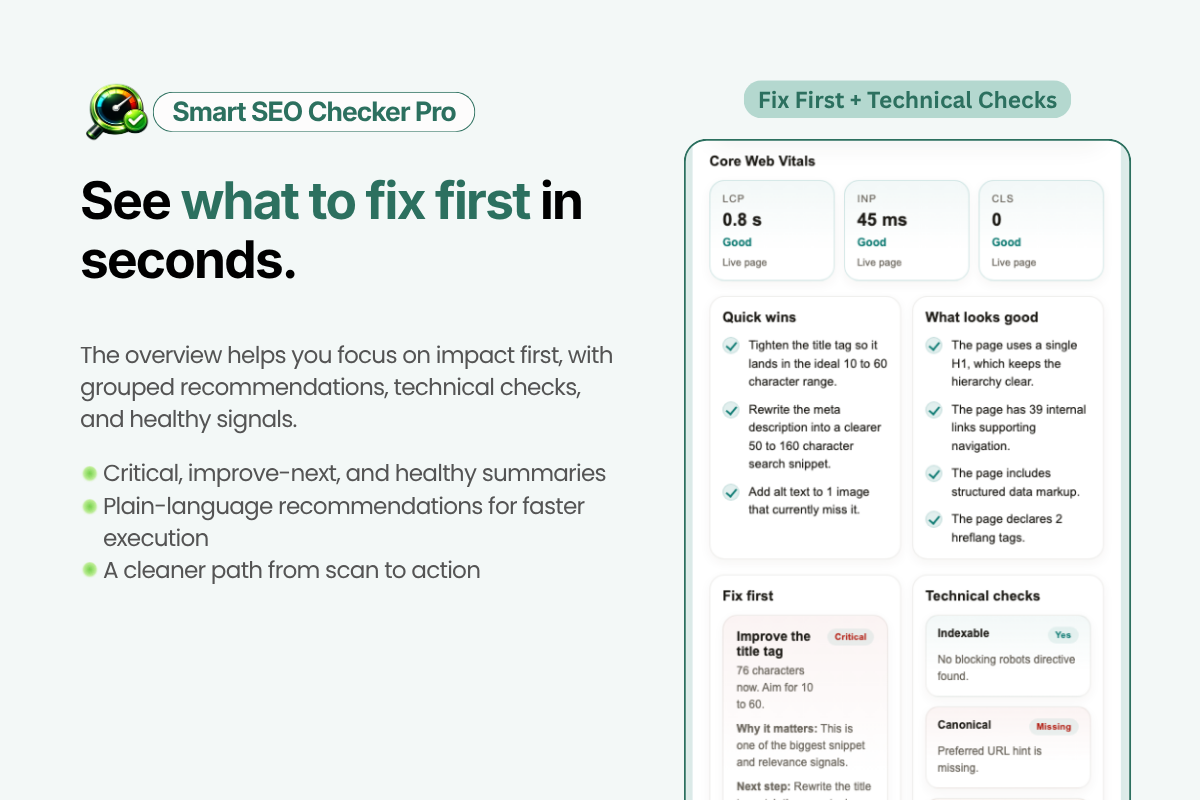
That is exactly the workflow Smart SEO Checker Pro is designed to remove. It is a free Chrome extension that audits any live page in one click, directly from a side panel in the browser. Instead of dumping raw diagnostics and leaving you to sort them manually, it gives you a prioritised SEO score, fix-first recommendations, and on-page highlights so you can see issues in context immediately.
If you review landing pages, service pages, product pages, blog posts, or client sites regularly, this is the kind of tool that saves time every single week.
What Smart SEO Checker Pro Actually Does
At a high level, the tool turns the page you are currently viewing into an instant SEO audit. It is built for page-level analysis rather than full-site crawling, which makes it especially useful during live QA, content reviews, pre-publish checks, and competitor analysis.
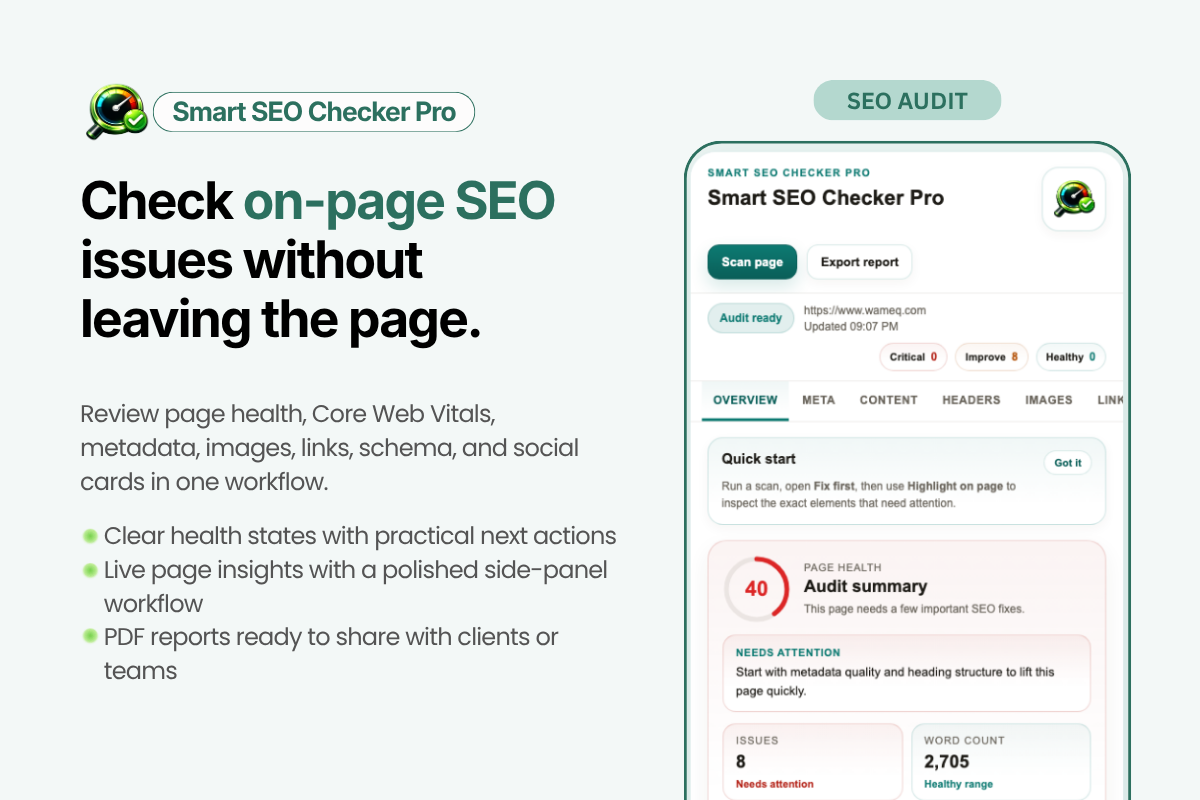
The audit covers the core areas that decide whether a page is search-friendly and technically sound:
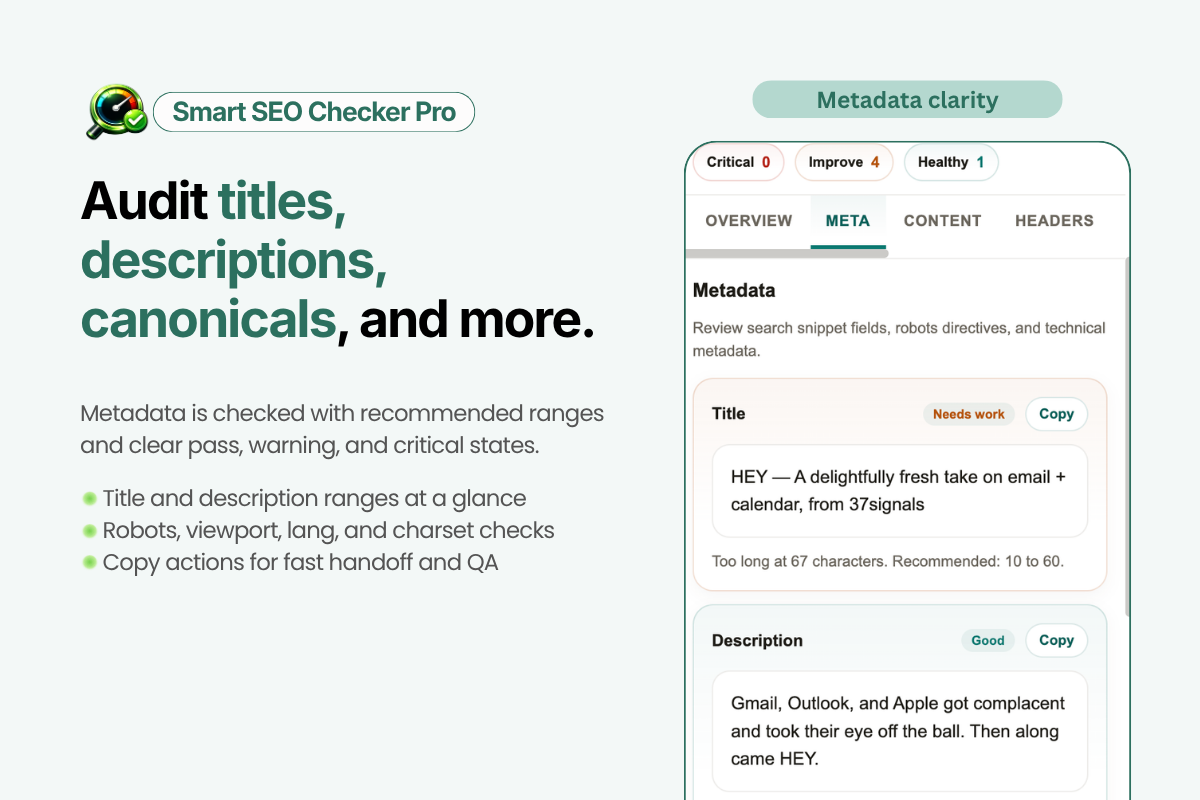
- Metadata: title tag, meta description, canonical tag, robots directives
- Heading structure: whether the page uses a clear H1 to H2 hierarchy
- Content signals: content depth and other on-page relevance checks
- Images: missing alt text, broken images, and image-level issues
- Links: internal and external link counts, nofollow links, broken destinations
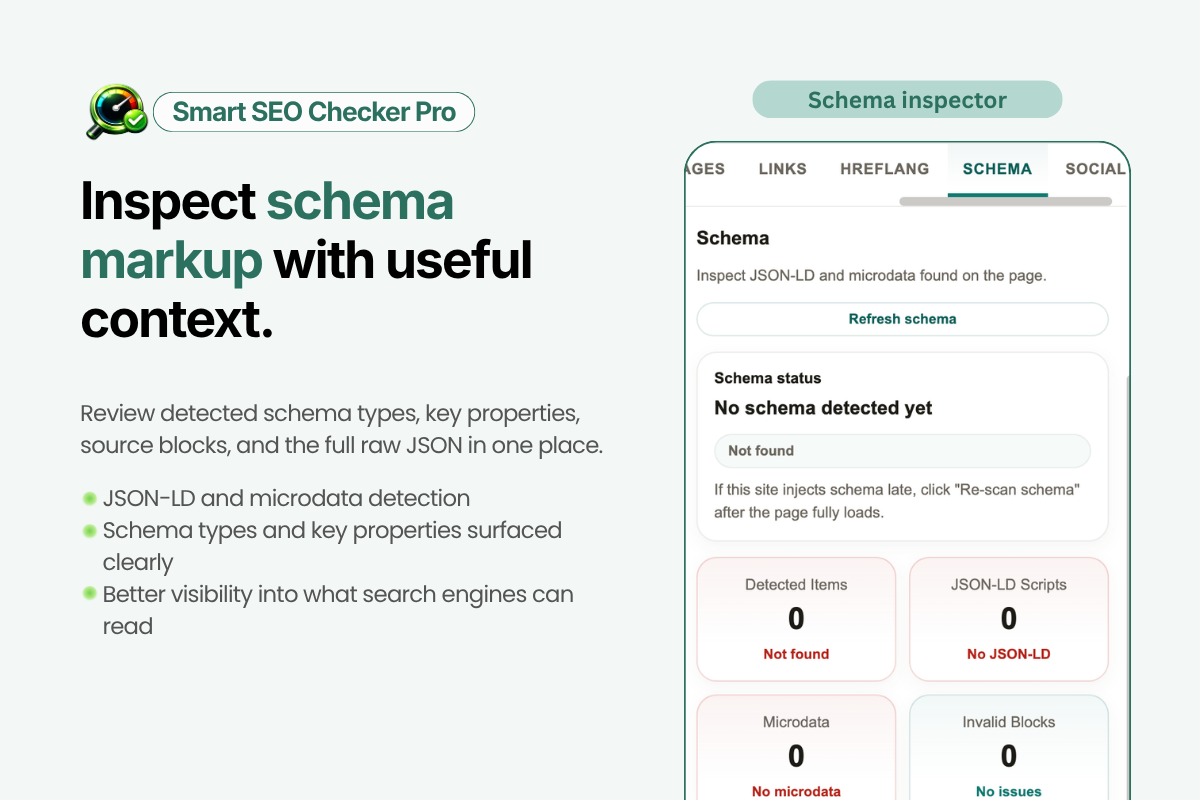
- Schema and social markup: JSON-LD, Open Graph, Twitter Cards, hreflang, and technical page tags
- Performance: Core Web Vitals including LCP, INP, CLS, FCP, and TTFB
The practical difference is not just the checklist. It is that the extension shows what to fix first. That matters because a missing meta description and a broken canonical tag are not equally urgent, even though many audit tools present them side by side with no prioritisation.
Want this implemented for your funnel?
Get a free 90-day growth plan with tracking, channel priorities, and next-week actions.
Why the Fix Priority Is the Best Part
The most common failure in SEO audits is prioritisation. Teams know what is wrong but still do not know what to do first. A page can have 15 issues, but only three of them may have meaningful ranking, crawl, or CTR impact. If the wrong items get fixed first, the audit produces activity without producing improvement.
Smart SEO Checker Pro solves that with a weighted SEO score and a fix-priority model. Instead of creating another report that needs interpretation, it gives you a practical order of operations. That makes it much more useful for marketers, editors, and developers who are working quickly and do not want to translate technical findings into a plan manually.
This is especially helpful for teams doing ongoing SEO content optimisation rather than one-off audits. The faster you can move from diagnosis to action, the more pages you can improve in a given month.
How to Audit a Page With Smart SEO Checker Pro
The workflow is simple enough that it becomes part of your normal browser routine.
- Open the page you want to review in Chrome.
- Launch Smart SEO Checker Pro from the side panel.
- Run the one-click scan.
- Review the overall SEO score and the highest-priority issues first.
- Use the on-page highlighting to see exactly where structural problems appear on the page.
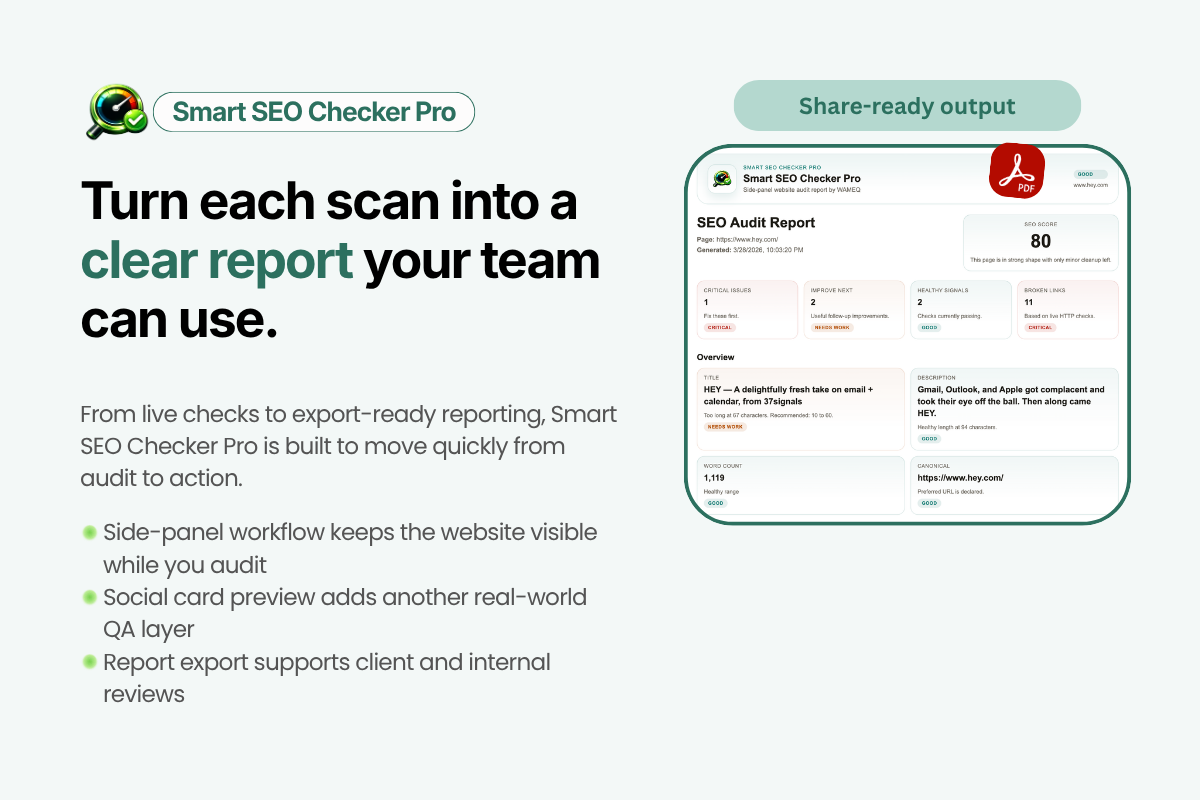
- Export the audit to PDF if you need to share it with a client, stakeholder, or developer.
That is the whole process. There is no setup, no account, and no need to move between multiple tabs to inspect source code, image tags, link attributes, and performance data separately.
Audit the page you are on in under a minute
Skip the manual checklist. Open the extension page, install Smart SEO Checker Pro, and start scanning live pages with fix-first recommendations right inside Chrome.
What It Helps You Catch Fast
Some page issues are obvious once you know to look for them, but they still get missed constantly in real workflows because checking them manually is tedious. Smart SEO Checker Pro is especially strong at catching this category of problem quickly.
Missing or weak metadata
Pages often go live with titles that are too short, too long, duplicated, or commercially vague. Meta descriptions are frequently missing or written with no attention to click-through rate. A quick audit flags these immediately.
Broken heading hierarchy
This is one of the most common issues on CMS-built pages. A design component gets used as an H2 when it should be a paragraph, or multiple H1s appear because of a template mistake. The tool highlights heading structure directly on the page, which makes the issue easier to fix than reading the DOM manually.
Image SEO gaps
Missing alt text is common on blog content, landing pages, and e-commerce collections. It is a small issue in isolation, but across a site it becomes a quality problem. On-page image highlighting is a faster QA method than clicking through each image in developer tools.
Link and crawl issues
Nofollow links in the wrong place, broken internal links, or redirect-heavy destinations are easy to overlook during page reviews. They are also exactly the kind of issue that quietly weakens crawl efficiency and user experience over time.
Technical markup problems
Canonical tags, robots directives, Open Graph tags, and schema markup are all areas where one template error can affect a page disproportionately. If you work on pages that are being shipped quickly, you want these checks visible before publishing.
Where It Fits in a Real SEO Workflow
This is not a replacement for a full crawler like Screaming Frog when you need sitewide coverage. If you are auditing 5,000 URLs, you still need crawler-level analysis. But that is not the only SEO workflow that matters.
Most day-to-day SEO work is page-level. You are reviewing a new service page before it goes live. You are checking a blog post after upload. You are validating a landing page after a redesign. You are looking at a competitor page and want an immediate read on how well it is structured. In those moments, a full crawl is overkill. What you need is instant diagnosis on the page in front of you.
That is where Smart SEO Checker Pro is strongest. It works well as the fast layer in front of deeper tools: quick diagnosis first, crawler analysis second only when the page or pattern justifies it.
Who Should Use It
The tool is broad enough to help several different roles:
- SEO specialists: faster page reviews, content QA, and competitive spot checks
- Content teams: pre-publish checks on metadata, heading structure, and image optimisation
- Developers: quick validation after template or component changes
- Agencies and freelancers: fast audits with PDF exports for client communication
- Site owners and marketers: a straightforward way to catch avoidable SEO mistakes before they compound
If your work involves publishing or improving web pages regularly, there is very little setup cost and a very clear upside in speed.
Privacy Matters More Than Most SEO Tools Admit
One detail worth calling out is that Smart SEO Checker Pro runs locally in the browser. No data collection. No sending the page somewhere else for analysis. That matters more than it first appears.
Many SEO workflows happen on staging environments, client sites, password-protected pages, or commercially sensitive landing pages that teams do not want copied into third-party systems unnecessarily. A privacy-first browser extension fits those workflows much better than a cloud tool that expects everything to pass through an external server.
When to Use Smart SEO Checker Pro Instead of a Bigger Tool
Use Smart SEO Checker Pro when the task is page-level and speed matters:
- Checking a page before publish
- Reviewing a live landing page after a redesign
- Spot-auditing a competitor page
- QA-ing blog uploads and image alt text
- Validating heading structure and metadata on a CMS page
- Creating a quick client-facing SEO report without a full crawl
Use a full crawler when the task is sitewide and pattern-based:
- Finding duplicate titles across the whole site
- Auditing indexation at scale
- Reviewing orphan pages, redirect chains, or site architecture
- Analysing thousands of URLs at once
The right answer for most teams is not one or the other. It is both, with each tool used for the job it is best at.
The Real Value: Less Friction Between Finding and Fixing
The reason this tool is useful is simple. It removes friction. You do not need to remember a checklist, bounce between multiple interfaces, or turn a technical review into a miniature project. You open a page, run the scan, fix the highest-priority issues, and move on.
That is what good SEO tooling should do. Not create more dashboards, but compress the distance between insight and action.
Install Smart SEO Checker Pro and run your first audit today
Free forever, no sign-up, privacy first, and built for fast page-level SEO checks. If you publish pages regularly, this will pay for itself in time saved almost immediately.
If you want a fast, practical way to review pages in the browser, try Smart SEO Checker Pro. It is free, private, and built for the kind of SEO work that happens every day rather than once a quarter.
Get weekly growth ideas in your inbox
Practical SEO, PPC, analytics, and CRO notes with zero spam.
Frequently Asked Questions
What is Smart SEO Checker Pro?▾
Is Smart SEO Checker Pro free?▾
Who is Smart SEO Checker Pro for?▾
What does Smart SEO Checker Pro check?▾
How is Smart SEO Checker Pro different from a full SEO crawler?▾
Does Smart SEO Checker Pro collect data?▾

Digital marketing consultant — SEO, PPC, analytics & CRO.