
LeadGrab
Turn Google Maps into a local lead CRM. Capture business name, phone, website, rating, address, and follow-up notes from your search results to a clean CSV.
35-second demo · tap for sound 🔊
Everything you need to build a local lead list
Stop copy-pasting businesses one by one. LeadGrab turns a Maps search into a saved lead list you can manage and export.
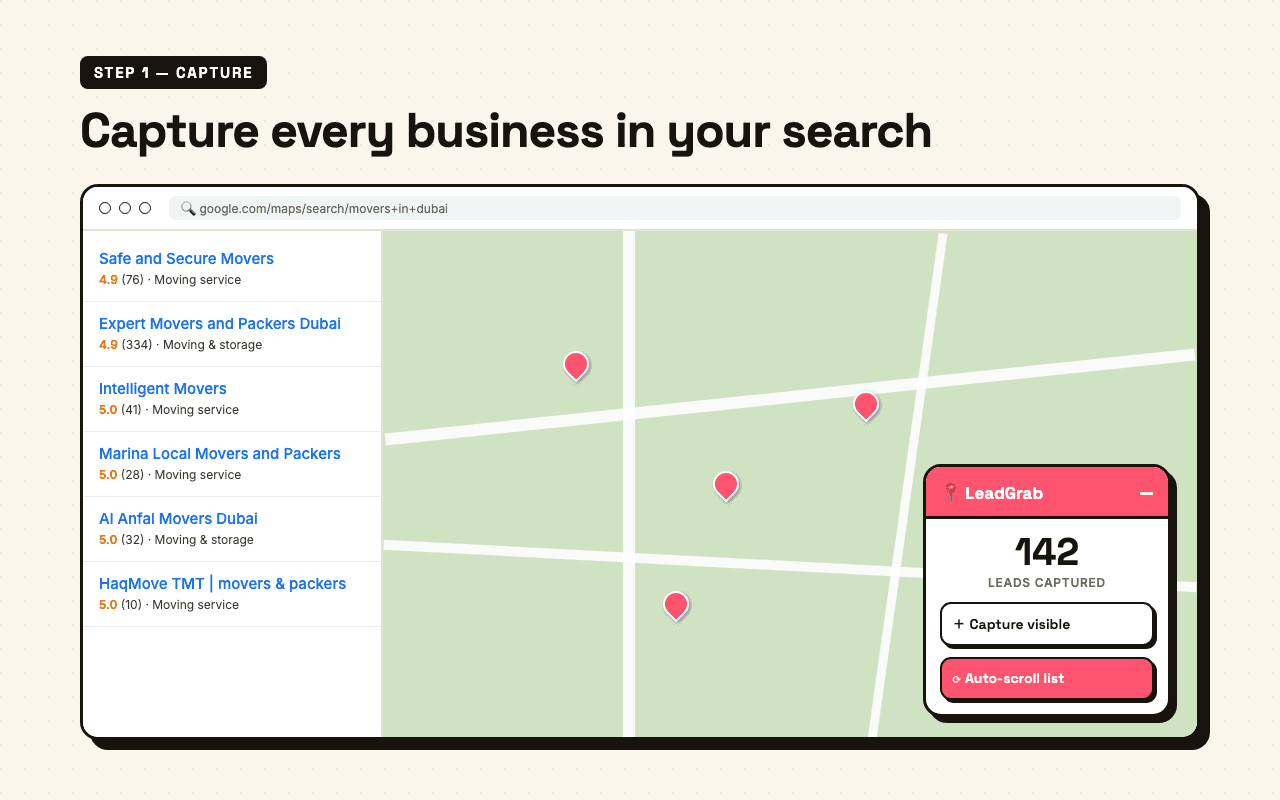
One-click capture
Search a niche + city on Google Maps and capture the visible businesses into your current lead session.
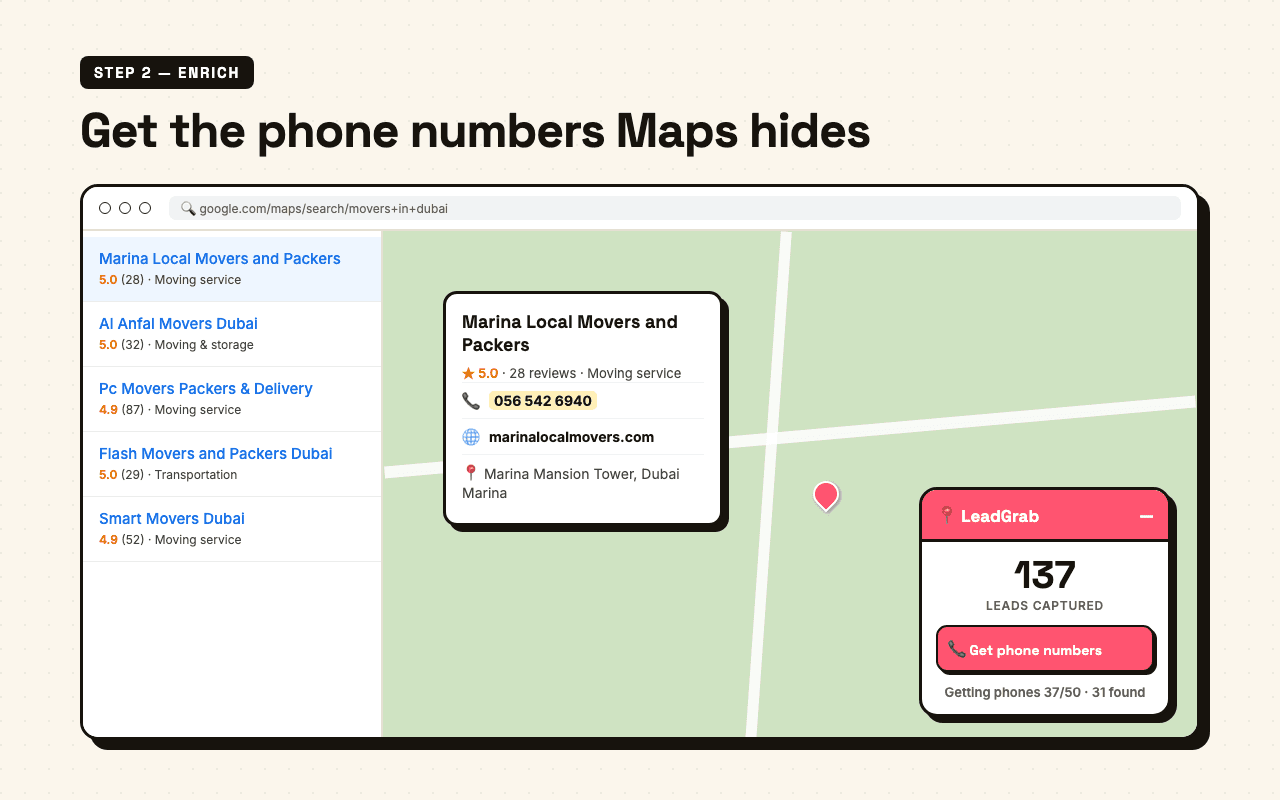
Phone + website enrichment
LeadGrab opens listings at human speed and fills missing phone numbers, websites, categories, and addresses.
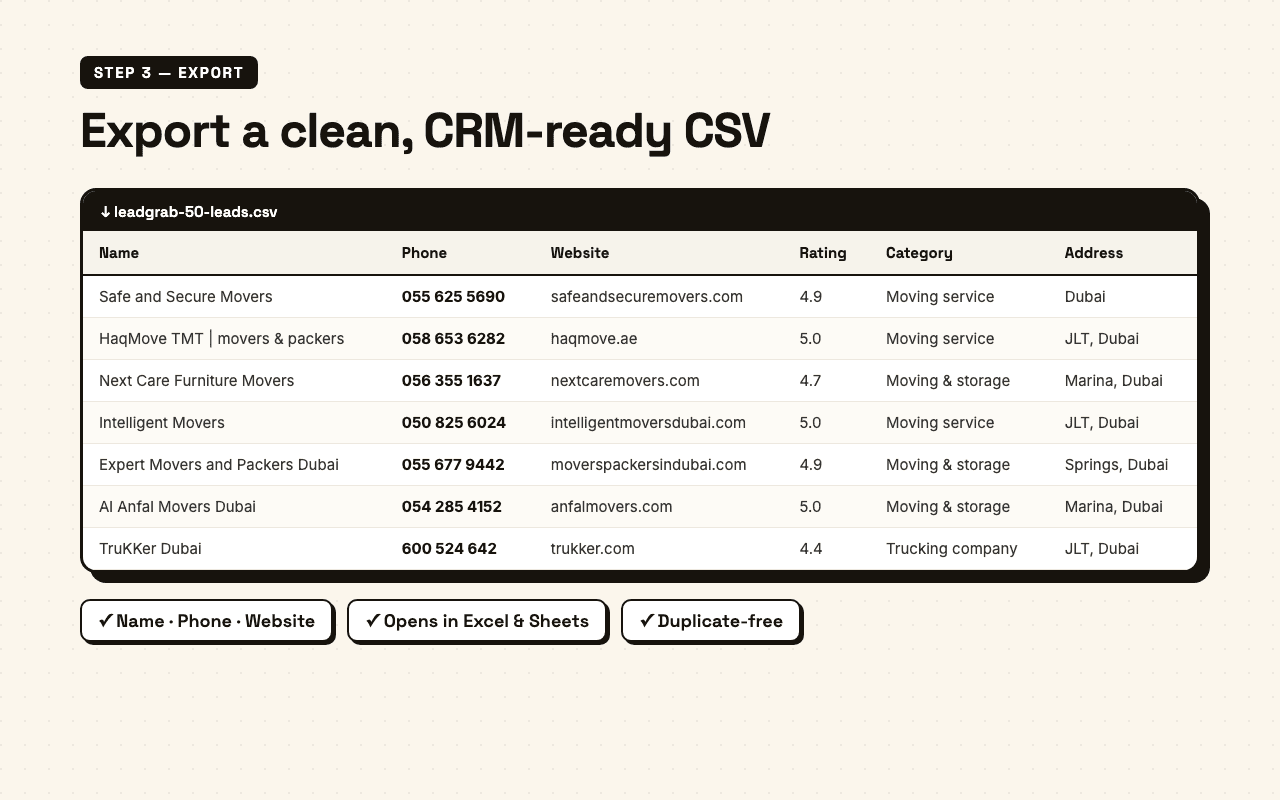
Clean CSV export
Export name, phone, website, rating, reviews, category, address, Maps URL, status, tags, notes, and last contacted date.
Controlled 50-lead batches
Get phone numbers for up to 50 listings per click, then continue after a 30-second cooldown.
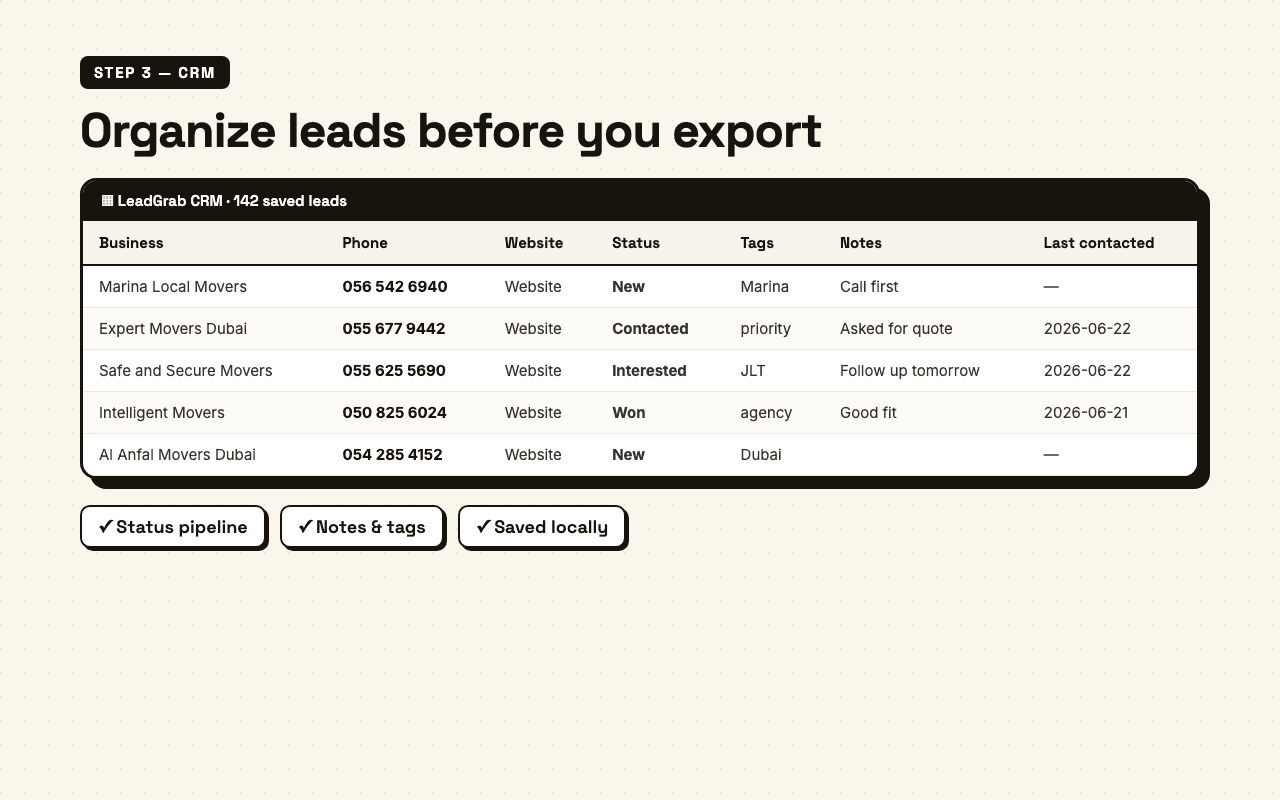
Lightweight local CRM
Open CRM to manage saved leads with status, tags, notes, last-contacted dates, and Maps or website links.
Privacy first
Everything runs in your browser. No server, no account — your leads and CRM notes stay on your device.
From a Maps search to a follow-up list
Capture the list, enrich phones and websites, manage follow-up in the CRM, then export a clean spreadsheet.
What you get per business
Contact details
- Business name
- Phone number
- Website
- Full address
Reputation signals
- Star rating
- Review count
- Business category
- Maps profile URL
CRM fields
- Status
- Tags
- Notes
- Last contacted date
Export & use
- One-click CSV
- Website & Maps links
- Opens in Excel & Sheets
- Session-safe saved leads
Who uses LeadGrab
Four steps. Zero friction.
- 01Search
Open Google Maps and search a niche + city, e.g. "movers in Dubai".
- 02Capture
Capture visible results or auto-scroll the list, with a stop button when you need control.
- 03Enrich
Click Get phone numbers to process up to 50 listings, then continue after the cooldown.
- 04Manage
Open CRM to add status, tags, notes, dates, then export everything to CSV.
Human-speed by design — paced to respect Google Maps and avoid limits.
The map is a lead list.
LeadGrab turns it into a local CRM.
Local research on Google Maps holds hundreds of qualified businesses. LeadGrab captures them, enriches phone and website data, and keeps saved leads organized for follow-up.
I'll review your outreach, landing pages, and paid campaigns — and deliver a prioritised plan to turn those leads into booked calls.